About Flowr
How a NAMM video and a quiet weekend turned into an Android MIDI chord controller
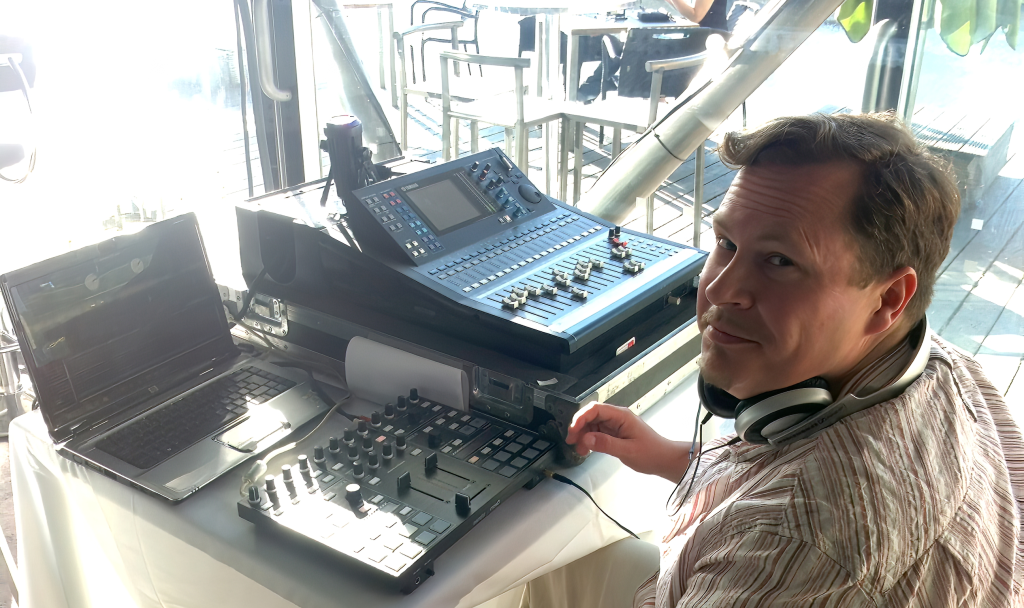
Hi, I’m Dan — a web developer, musician, and lifelong tinkerer with music technology. Most of the time I build websites for a living, but I’ve always been drawn to tools that help people make music more easily.
Flowr is an Android MIDI chord controller that lets you generate expressive chord progressions and send them to synths or DAWs directly from your phone. But the idea started in a much more ordinary place.
The moment it clicked
A Saturday morning
The kids were out at gymnastics and football. I was sitting in the car watching a YouTube video by Christian Henson from Crow Hill as he wandered through NAMM showing all the new music technology. For those of us who can’t just hop on a plane to California, those walkthroughs are the closest we get to being there ourselves.
During the video he passed by a device called the Orchid by Telepathic Instruments — a harmonic controller that lets musicians trigger chords using a joystick-like interface. I’d already heard of it and thought it looked brilliant.
The price, though: around £500–£600.
I’d also seen the HiChord from Pocket Audio, another harmonic controller at closer to $300. Both were genuinely interesting ideas, but both felt like a fairly big investment just to experiment with chord generation.
And then the thought that stuck:
“If these are basically MIDI controllers… why couldn’t the same idea exist as software?”
From idea to prototype in a single day
Once the idea appeared, it formed surprisingly fast. Within about half an hour I had the basic concept sketched out in my head — a flower-shaped directional controller adapted for a touchscreen, where different petals represented different harmonic movements.
I started working through the concept with Claude while still parked between the kids’ activities that morning. By the time I stopped at a Starbucks I’d decided to actually try building it.
The problem: I’d never really built a mobile app before.
Most of my coding background is in PHP and web development, so suddenly I was installing Flutter, configuring Android Studio, and figuring out how the whole mobile ecosystem worked. But once the first pieces started running, I got completely absorbed.
~8 hours later
A rough prototype was running on my phone. It wasn’t pretty — but it worked. When I got home that evening I was glued to the laptop until late. My family have seen this happen before when I disappear into an idea. They just let me get on with it.
The first design was completely wrong
Originally I’d mapped chord shapes directly to the petals. You pressed a petal and it triggered a chord. Logical on paper — but the moment I tried to jam with it, playing chords in one hand while controlling a synth with the other, it felt awkward and counterintuitive.
After about a week and a half of trying to make it work, I scrapped the design and started again.
This time I studied how the HiChord approached harmonic control and rebuilt the concept around directional chord selection, adapted for touch. Instead of copying the hardware approach directly, I tried to extend it for a screen-based interface.
The result became the layout Flowr uses today:
Outer petals
Trigger core chord shapes and modifications
Inner petals
Generate voice-leading chord voicings
Pads
Trigger the MIDI chord output by scale degree
Function mode
Change key using the petal interface
Once the harmonic engine worked, the fun part began. A chord controller that just fires off block chords is useful, but it’s not expressive. I wanted Flowr to feel like something you actually play, not just tap.
So I started adding the features that make a phone genuinely interesting as a MIDI controller — the things your phone can do that a £50 MIDI keyboard can’t:
Gyroscope control — tilt your phone to send pitch bend or modulation. It turns physical movement into musical expression in a way that feels surprisingly natural.
XY pad modulation — slide your finger across the screen to control two parameters simultaneously. Useful for filter sweeps, crossfading, or anything you’d normally map to a hardware XY pad.
MIDI CC messages — assignable continuous controller output for deeper integration with your synths and DAW.
The moment I connected Flowr to my DAW and routed it through Arturia Pigments, something shifted. It stopped feeling like an experiment and started feeling like a real instrument.
Making it feel like an instrument
Because phones don’t have clickable joysticks like hardware controllers, every interaction had to be rethought for touch. That constraint turned out to be a good thing — it pushed the design into something that felt native to a phone rather than a compromise.
I produce my own music as Dadalion >>>
I’ve been making electronic music since Octamed on the Amiga and I keep going whenever I have some spare time!
Why Flowr exists
There are already plenty of MIDI controllers in the world, but most are built around traditional keyboard layouts or generic pad grids. They’re great for what they do — but they don’t help you with harmony.
Flowr takes a different approach. Instead of focusing on playing individual notes, it’s a MIDI harmony controller — it helps you explore chord progressions and harmonic movement quickly, using Nashville-style scale degrees and voice-led voicings.
You can use it with Android synth apps via inter-app MIDI, with desktop DAWs over USB, or simply as a portable tool for sketching chord ideas on the go. The goal was always the same: make harmony accessible without dumbing it down.
Releasing early (on purpose)
I have a long list of ideas for where Flowr could go. Arpeggiators, chord locking, generative sequencing, additional harmonic modes — the list keeps growing.
But several people I trust gave me the same advice: release a focused first version and see if musicians actually find it useful. Don’t wait until it’s “finished” — because a tool like this is never really finished.
So that’s what I did. The current version of Flowr is intentionally a focused first release. If people enjoy using it, there’s plenty more to build.
What happens next
I still work full time as a web designer, so development time is limited to evenings and weekends. But if Flowr finds an audience, I’d love to spend more time creating tools like this.
The intersection of music and programming is probably where I’m happiest — writing code during the day and experimenting with music technology at night.
And it all started with a single thought while watching a NAMM video in a parked car:
“What if this didn’t have to be hardware?”
Try Flowr